# XEM ĐIỂM TRÊN LMS CANVAS
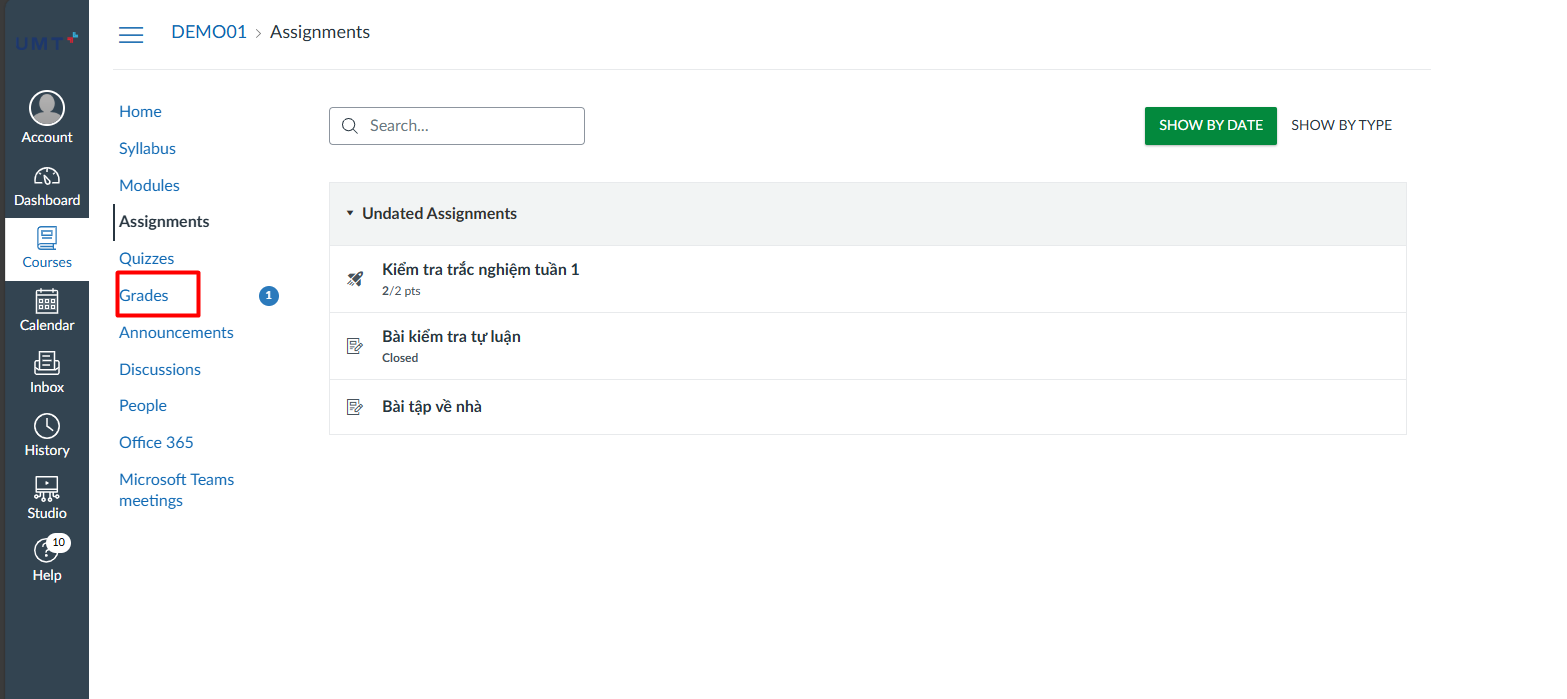
**Bước 1:** Sinh viên truy cập vào môn học cần xem điểm và chọn **Grades**
[](https://kb.umt.edu.vn/uploads/images/gallery/2025-11/J8anVY9JVx0yRj59-image.png)
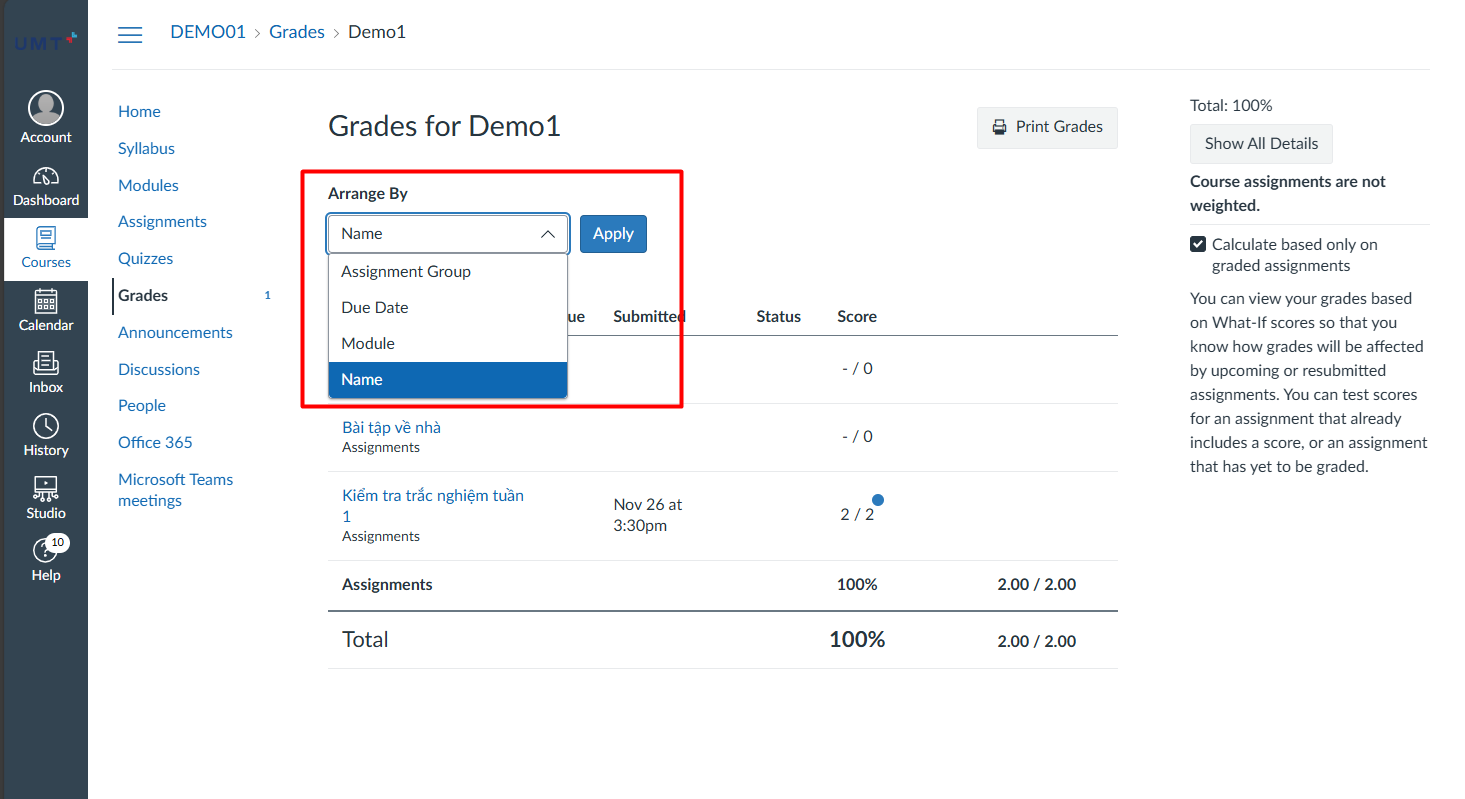
**Bước 2:** Sinh viên có thể chọn hiển thị để lọc theo **Due date, Module, Name Hoặc Assignment Group (Bài tập nhóm)** và chọn **Apply**
[](https://kb.umt.edu.vn/uploads/images/gallery/2025-11/pFGjJLwQ6LV7OVkX-image.png)