# THÊM HÌNH ẢNH VÀO TRANG

<span lang="vi" style="font-size: 12.0pt; line-height: 115%;">**Bước 1**: Chọn bất kỳ trang nào, chọn vị trí muốn thêm hình vào</span>

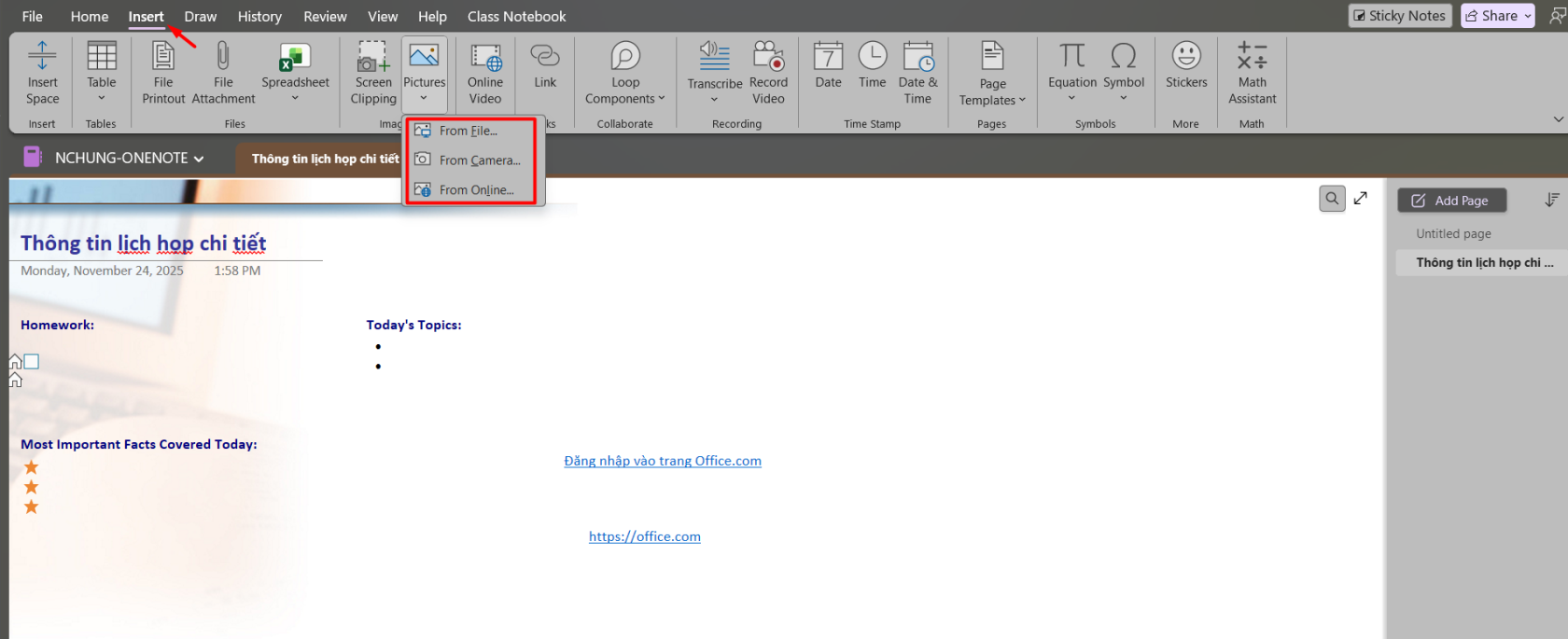
<span lang="vi" style="font-size: 12.0pt; line-height: 115%;">**Bước 2**: Chọn **Insert** --&gt; </span>

<span lang="vi" style="font-size: 12.0pt; line-height: 115%;"> **+Screen Clipping**: để chụp một phần màn hình máy tính để</span>

<span lang="vi" style="font-size: 12.0pt; line-height: 115%;"> **+Pictures:** Để thêm một file hình được lưu trên máy tính hoặc online.</span>

- <span lang="vi" style="font-size: 12.0pt; line-height: 115%;">Form file: thêm hình được lưu trên máy tính.</span>
- <span lang="vi" style="font-size: 12.0pt; line-height: 115%;">Form Camera: thêm </span>
- <span lang="vi" style="font-size: 12.0pt; line-height: 115%;">Form Online</span>

<span lang="vi" style="font-size: 12.0pt; line-height: 115%;">**Bước 3**: Trong hộp thoại chọn hình --&gt; **Insert**.</span>

[![image.png](https://kb.umt.edu.vn/uploads/images/gallery/2025-11/scaled-1680-/IxLYurnkfnpz66Iz-image.png)](https://kb.umt.edu.vn/uploads/images/gallery/2025-11/IxLYurnkfnpz66Iz-image.png)

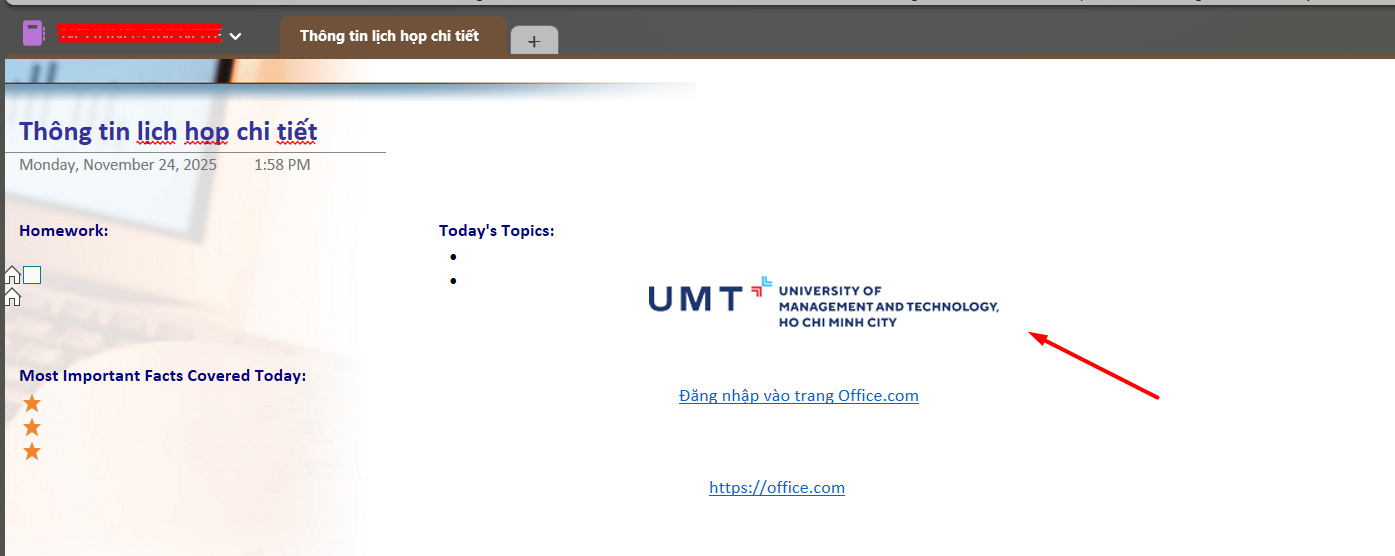
Kết quả:

[![image.png](https://kb.umt.edu.vn/uploads/images/gallery/2025-11/scaled-1680-/TFqZDL4aIBMUz5je-image.png)](https://kb.umt.edu.vn/uploads/images/gallery/2025-11/TFqZDL4aIBMUz5je-image.png)